Remember you are combining the draft infographics into one super awesome infographic. DON'T LOSE MEMARZADEH'S ART SUPPLIES OR I WILL SEND HER AFTER YOU.
Goal: Finish draft infographic and start final infographic. Remember, your final infographics are due tomorrow at the end of class. After that you will have no time in class to work so USE YOUR TIME WISELY. Agenda: Survey Finish Draft Infographic Start Final Infographic Survey
Message from Mr. Nuthall. "We are applying for an ASSET grant that will bring us significant funds to extend before and after school activities. The 200K would be helpful in so many ways. The application requires scholar survey results. The survey is due this week and it is very short. Here is the link: https://www.surveymonkey.com/r/X78W26W"
Finish Draft Infographic
Finish your individual draft infographic. When you are done, turn it in on Haiku.
Start Final Infographic
Here you will combine the draft infographics into one super awesome infographic. You might want to draft how they will go together on a whiteboard before you draw the final thing. Get a piece of 11x17 paper from the sub. I borrowed markers and colored pencils from Memarzadeh. DON'T LOSE THEM OR I WILL SEND HER AFTER YOU.
Goal: Reflect on how your project is going so far. Agenda: Reflect Teamwork Summarize Work Reflect Take a minute to think about where your project is at and where it is going. Teamwork
Use a pen or pencil to score yourself on the teamwork rubric.
On the back of your rubric, write next Friday's date (11/4) and a goal for improving how you are working as a team member.
Summarize
Open your museum Google Doc.
Go to Assignment 5 at the bottom. Underneath your Elevator Pitch Script, complete the following assignment.
With your team, write a 5 sentence summary of what the museum people said about your project.
Write 3 next steps based on the feedback from the museum people. This can be changes, things to add, what to start building, etc.
Goal: Write a script that meets the elevator pitch criteria. Agenda: Review Elevator Pitch Badge Write Script Practice Pitch Review Elevator Pitch Badge Tomorrow you will be pitching your exhibit idea to the museum representatives. You will only have 2 minutes to present your idea. This is called an Elevator Pitch. To get a better picture of what this means, review the Elevator Pitch Badge. Yes, you will need to video record your presentation. It might also be helpful to record the feedback from the museum representatives. Write Script You will be presenting to someone "in field." Write a script for this presentation.
Open your museum google doc.
Go to Assignment 5.
Work with your team to write a script that meets the following criteria
Why are you doing what you’re doing? (Third Grader's Question and standard)
How are you addressing this question or problem? (Learning Goal and how it relates to the question)
What happened so far? (Your idea and how it meets their criteria)
Articulate action steps and what happens next.
Practice Pitch
Tomorrow you will be presenting. PRACTICE, PRACTICE, PRACTICE and use a timer. Here are some guidelines
Not everyone has to talk. You can have one or two representatives do most of the talking.
You only get 2 minutes. Memarzadeh was very clear about this. If your pitch is too long, rewrite your script.
Goal: Evaluate exhibit ideas based on how well they fit the museum criteria and address your learning goal. Choose which idea to present on Friday. Agenda: Finish Assignment 2 Design Decision Matrix Blueprint Finish Assignment 2
Open your Museum Google Doc. Scroll down to Assignment 2.
Click on the link to open your Padlet. If your Padlet has 15-20 UNIQUE ideas, skip to step 4.
Go to this Pinterest search or theExploratorium Snacks. Use these resources to add more ideas to your Padlet until you have 15-20 UNIQUE ideas. That's 5 ideas per person in your group.
Look at all the ideas with your group and select 5 UNIQUE ideas that you think would make the best exhibits. Summarize these ideas under Assignment 2 in your Museum Google Doc.
Design Decision Matrix
Grab a whiteboard and make the table below, filling in your 5 ideas at the top.
For each idea, rate how well they meet the 5 criteria on a scale of 1-4.
Add up the numbers for each idea in the "Total" row at the bottom. The one with the highest score is your best idea.
Idea #1
Idea #2
Idea #3
Idea #4
Idea #5
Multi Sided/Multi User
Minds On
Hands On
Understanding (learning goal)
Engagement
Total
Blueprint
Grab 1-2 pieces of graph paper. Fold paper in half.
Label each section of the graph paper with either "top," "bottom," "front," or "side."
Draw blueprints of the Front, Back, Top, and Sides of your exhibit. The exhibit will be built on a 20" x 20" platform.
Brainstorm ways to teach a science phenomenon that is hands on and minds on. Aim for at least 15-20 ideas.
Agenda:
Warmup
How to Brainstorm
Brainstorm
Research
Narrow
Warmup
We need to refine your learning goals. Use the sentence frame on the whiteboard to rewrite your learning goal under "Assignment 2" in your museum Google Doc. Remember, you DO NOT have to teach the whole standard or answer the entire question. Focus on one little piece of knowledge that can be used to answer the question.
How to Brainstorm Watch this video about do's and don'ts of brainstorming.
Brainstorm See how many ideas you can come up with for your museum exhibit. Don't worry about how good they are or if they meet all the requirements, we will deal with that tomorrow.
Have your scribe open up the Padlet you created yesterday.
Start brainstorming possible ideas for your museum exhibit. Scribe will record each idea on Padlet. Remember, on Padlet you can add photos and videos so you might want to use whiteboards or record your conversations.
Research
Add more ideas to your Padlet from the internet. You might want to start by Googling home science experiments for your topic. You can also use Pinterest or the Exploratorium Snacks as resources to get you started.
Add links to possible exhibit ideas to your Padlet. Remember, we want LOTS of ideas. We are aiming for at least 15. Your Padlet should be full.
Narrow
Tomorrow we will be figuring out which idea(s) to prototype and present to the museum on Friday. Let's narrow it down.
Look at your idea board (Padlet) with your group and discuss which 3-5 ideas would be the best. Consider the museum exhibit goals, your question, and your exhibit learning goal.
Have your scribe open your museum Google Doc.
Make a list of the top 3-5 ideas under "Assignment 2."
Goals: Explain a science phenomenon that answers a third grader's question. Agenda: Warmup Project Setup Choose a Question Answer the Question Find Your Standard Plan for Tomorrow Warmup How do effective teams work? Think about...
What do effective teams look and sound like?
How are effective teams managed?
How is the work divided?
Project Setup
Choose roles for each member of your team. Consider roles such as facilitator, scribe, etc.
Have your scribe make a copy of this Google doc and share it with your team members and me.
Choose a Question
A few weeks ago I met with a third grade teacher at Rock Springs Elementary School. Her students came up with a list of questions about the world around them to guide your museum exhibits.
Once you have chosen a question, tell me and I will sign you up. Only 1 group per question: first come, first served.
Answer the Question
Work with your team to find the answer to your third graders' question. Record the answer on your Google Doc. You will need to refer back to this throughout the project so it's important you really understand the answer to the question. Here is a folder with the 3rd grade textbooks. You might be able to find some information there.
Find Your Standard
Look at the list of third grade science standards and find the one that matches your question best.
It's impossible to teach an entire science standard in your exhibit. Choose one evidence statement that matches your research question.
Record the standard and evidence statement on your Google Doc.
Plan for Tomorrow
I won't be here tomorrow and you need to start brainstorming ideas for your exhibit because you begin building a prototype on Wednesday. Here's what you are going to do:
Create a Padlet for your team. This is a webpage where you can share links, photos, etc. You will use this as an idea board where you put as many ideas for museum exhibits to answer your question as you can think of.
Copy the link to your Padlet and paste it into the Google Doc.
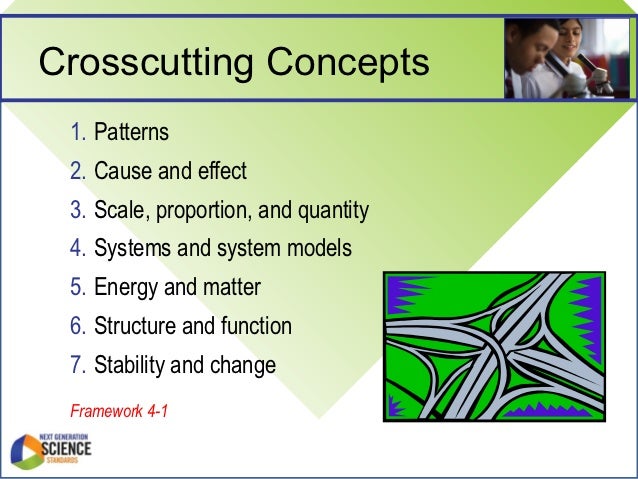
Goal: Use 2 crosscutting concepts to explain a scientific phenomenon. Agenda: Warmup Seashells What is Precipitation? Precipitation Lab Crosscutting Concepts Warmup Please send me the link to your portfolio using this form. Seashells Watch this and read this. What are seashells made of? Mix calcium chloride with sodium carbonate. What happens? What is Precipitation? Learn why some things form solids when you mix them. Precipitation Lab ***DO NOT POUR ANYTHING DOWN THE DRAIN. IT'S LIKE A $20K FINE*** Mix together the different solutions in a well plate to figure out what is in the mystery solution. You will need to think about a strategy. You can use the whiteboards to make notes. Crosscutting Concepts What Habits of Mind did you use to figure out the mystery solution? In our science standards we call these crosscutting concepts.